
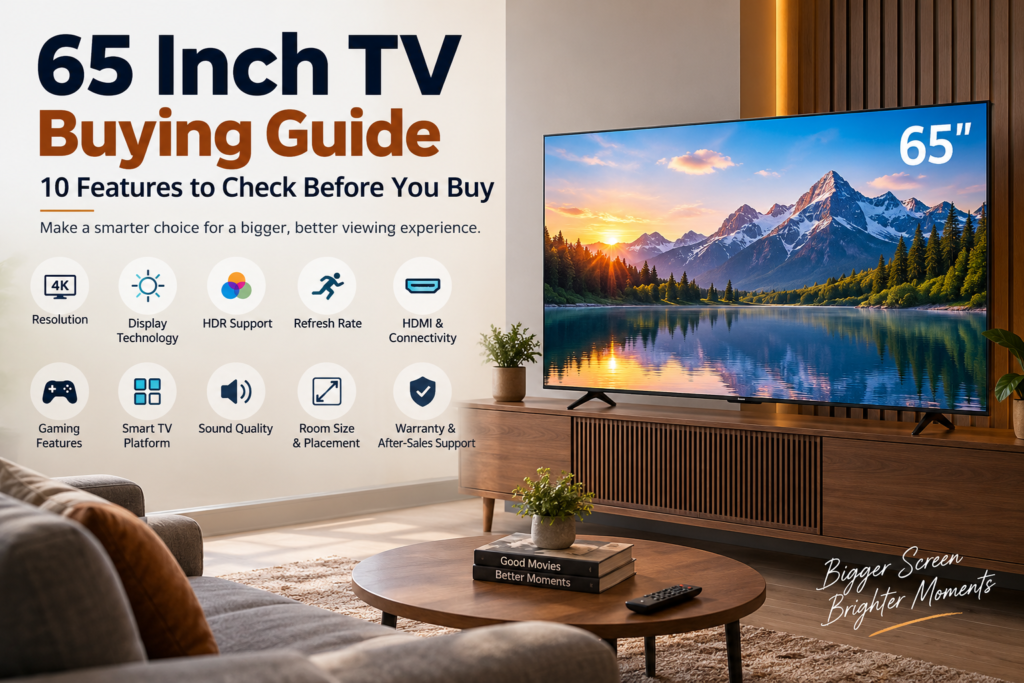
A 65 inch TV is a significant upgrade for a living room, entertainment area, or home theatre setup. Its larger screen can make movies feel more immersive, sports easier to follow, and games more engaging. However, choosing the right model is not simply about finding a television with a 65 inch screen and the lowest price.
Two 65 inch TVs can have the same screen size and 4K resolution but deliver very different viewing experiences. Differences in display technology, brightness, processing, refresh rate, connectivity, audio and smart features can have a noticeable impact on everyday use.
If you are planning to buy a 65 inch TV, the following 10 features deserve careful attention before you make your decision.
1. Check the Display Resolution
For a 65 inch television, 4K Ultra HD resolution should be one of the first specifications you check. A 4K display has 3840 × 2160 pixels, providing considerably more detail than Full HD.
The larger screen of a 65 inch TV makes resolution differences easier to notice, particularly when you sit at a reasonable viewing distance. 4K can provide sharper details in movies, sports broadcasts, streaming content and compatible games.
However, resolution should not be considered in isolation. Two 4K TVs can produce different picture quality because of differences in panel quality, image processing, contrast and colour reproduction.
It is also useful to check how well the TV upscales lower-resolution content. If you still watch HD television channels or older content, good upscaling can make that content look cleaner and sharper on a large 4K screen.
2. Understand the Display Technology
The type of display technology used by a TV influences contrast, brightness, colours and overall picture quality. Depending on the model, you may come across LED, QLED and OLED-based televisions, among other technologies.
Instead of selecting a display type simply because it sounds more advanced, think about where you will use the TV.
A bright living room with windows can benefit from strong brightness and good reflection handling. If you mainly watch movies in a darker room, contrast and black-level performance may become more important.
Viewing angles should also be considered if several people regularly watch the TV from different positions. A television that looks excellent directly in front of you may produce a different image when viewed from the side.
3. Look Beyond Basic HDR Support
High Dynamic Range, commonly known as HDR, is designed to provide a wider range between dark and bright areas of an image. When implemented effectively, HDR can make highlights more detailed while retaining information in darker scenes.
However, simply seeing “HDR supported” on a specification sheet does not guarantee strong HDR performance.
The TV’s brightness, contrast, panel technology and image processing all influence how effective HDR looks. It is also worth checking which HDR formats are supported because different streaming services and content sources may use different formats.
For a 65 inch TV, HDR can have a noticeable visual impact because the larger screen gives you more room to see differences in highlights, shadows and colour depth.
4. Check the Native Refresh Rate
Refresh rate indicates how frequently the display can update the image and is measured in Hertz (Hz). It becomes particularly relevant when watching fast-moving content.
If you regularly watch cricket, football, racing or action-heavy movies, a capable refresh rate can help produce smoother movement. Gamers should pay even closer attention because the refresh rate can affect how responsive and fluid supported games feel.
When comparing TVs, look for the native refresh rate of the panel rather than relying only on marketing terms such as motion rate or similar technologies. These terms can be calculated differently between manufacturers and may not represent the actual panel refresh rate.
For casual television viewing, an extremely high refresh rate may not be necessary. For sports and gaming, however, it can be a more important consideration.
5. Examine HDMI and Other Connectivity Options
Your TV may eventually become the main connection point for several devices. A typical setup could include a set-top box, gaming console, soundbar, streaming device and laptop.
This is why connectivity should be checked before buying rather than after installation.
Look at the number of HDMI ports and the specifications of those ports. If you own or plan to purchase a modern gaming console, HDMI 2.1 can be particularly useful because compatible TVs can support advanced gaming features through the appropriate HDMI connection.
Audio connectivity is equally important. If you plan to use a soundbar, HDMI eARC can provide a convenient connection for compatible audio equipment.
Also consider Wi-Fi, Bluetooth and USB support based on the devices and accessories you already use. Buying a TV with limited connectivity can result in unnecessary adapters or frequent cable switching later.
6. Check Gaming Features If You Use a Console
A 65 inch screen can provide an excellent gaming experience, but screen size alone does not determine gaming performance.
If gaming is an important part of your TV usage, check features such as Variable Refresh Rate, Auto Low Latency Mode, high refresh rate support and low input lag.
VRR can help reduce visual issues such as screen tearing when supported by the console and television. ALLM can automatically switch the TV into a suitable low-latency mode when compatible gaming equipment is detected.
Input lag is another specification worth researching because lower input latency can make controls feel more responsive.
Casual gamers may not need every advanced feature, but people using modern consoles should check compatibility before purchasing a TV.
7. Evaluate the Smart TV Experience
A smart TV is more than a display with a few streaming applications. The operating system affects how quickly you can access content, install applications and control the television.
Before buying, check whether the TV’s platform supports the streaming services you regularly use. The interface should also be easy to navigate, particularly if multiple members of your household will use the TV.
Processing performance matters here. A television with excellent picture quality can still be frustrating if menus take too long to respond or applications frequently freeze.
Features such as voice control, screen mirroring, casting and smart-home compatibility can also add convenience. Consider which of these features you will actually use rather than paying extra for functions that have little value to your setup.
8. Do Not Overlook the Built-In Audio
A 65 inch TV naturally puts most of the attention on its display, but sound quality can significantly affect the overall experience.
Built-in speakers may be sufficient for everyday television viewing, but movies, sports and gaming can benefit from stronger audio performance. Dialogue clarity is particularly important because poor speech reproduction can make conversations difficult to understand even when the picture looks excellent.
If you are considering a soundbar, check the TV’s audio connections before buying. HDMI eARC can be especially useful for compatible soundbars and home theatre systems.
You should also consider the size of the room. A basic built-in audio system may be adequate for a smaller room, while a larger open-plan living area may benefit from an external sound system.
9. Measure Your Room Before Buying
A 65 inch TV has a large screen, so make sure your room can accommodate it comfortably.
Do not consider only the diagonal screen measurement. Check the television’s complete width, height and depth, including the stand if you plan to place it on a cabinet.
Your viewing distance also matters. Sitting too close to a large screen can make lower-quality content appear less comfortable, while sitting too far away can reduce the benefit of the larger display.
If you are wall-mounting the television, check its VESA mounting specifications and make sure the wall and mounting bracket can safely support the TV.
Also consider the position of windows and lights. Direct reflections can affect viewing quality, especially during daytime.
10. Compare Warranty, Power Consumption and After-Sales Support
The purchase price is only one part of the ownership cost of a television.
Before buying, check the warranty terms carefully. Look at what is covered, how long the coverage lasts and whether installation or service is included. Local availability of service support can also be important because a television is a long-term electronic appliance.
Power consumption is another factor worth considering. A 65 inch television has a larger display than smaller models, so its electricity usage can be higher depending on the panel technology, brightness settings and usage pattern.
Rather than assuming that all 65 inch TVs consume similar amounts of electricity, compare the manufacturer’s stated power consumption and energy information.
How to Choose Based on Your Viewing Habits
The right 65 inch TV depends heavily on what you watch.
If you primarily watch movies and OTT content, give more attention to picture quality, contrast, HDR performance and sound connectivity. If sports make up a large part of your viewing, refresh rate, motion handling and brightness deserve greater attention.
For gaming, focus on refresh rate, HDMI 2.1, VRR, ALLM and input lag. If the TV will mainly be used by the whole family, a responsive smart platform, good viewing angles and simple connectivity may be more valuable.
For a bright room, brightness and reflection handling can make a noticeable difference during daytime viewing. For a darker home theatre environment, contrast and black-level performance may deserve greater priority.
Common Mistakes to Avoid When Buying a 65 Inch TV
One common mistake is choosing a TV based only on screen size and price. A cheaper 65 inch TV may have the same resolution as a more expensive model but differ significantly in brightness, processing, connectivity or refresh rate.
Another mistake is assuming that every 4K TV provides the same picture quality. Resolution describes the number of pixels, not the complete quality of the display.
It is also easy to overlook the number of HDMI ports, particularly when you already have several devices. Think about your current setup as well as devices you may add in the future.
Finally, do not forget to measure your room and TV cabinet before ordering. A television that fits the specification on paper may not fit comfortably into your actual space.
Final Thoughts
Buying a 65 inch TV should involve more than comparing prices and screen sizes. The best choice for your home depends on the combination of display quality, HDR performance, refresh rate, connectivity, smart features, sound, room conditions and your personal viewing habits.
Before making a purchase, identify the content you watch most, measure your available space and shortlist TVs based on the features that matter for your usage. Pay particular attention to native specifications rather than relying entirely on promotional terminology.
A well-researched 65 inch TV can serve as the centre of your home entertainment setup for years. Taking the time to compare the right features before buying can help you get a television that delivers the picture, performance and connectivity you actually need.