
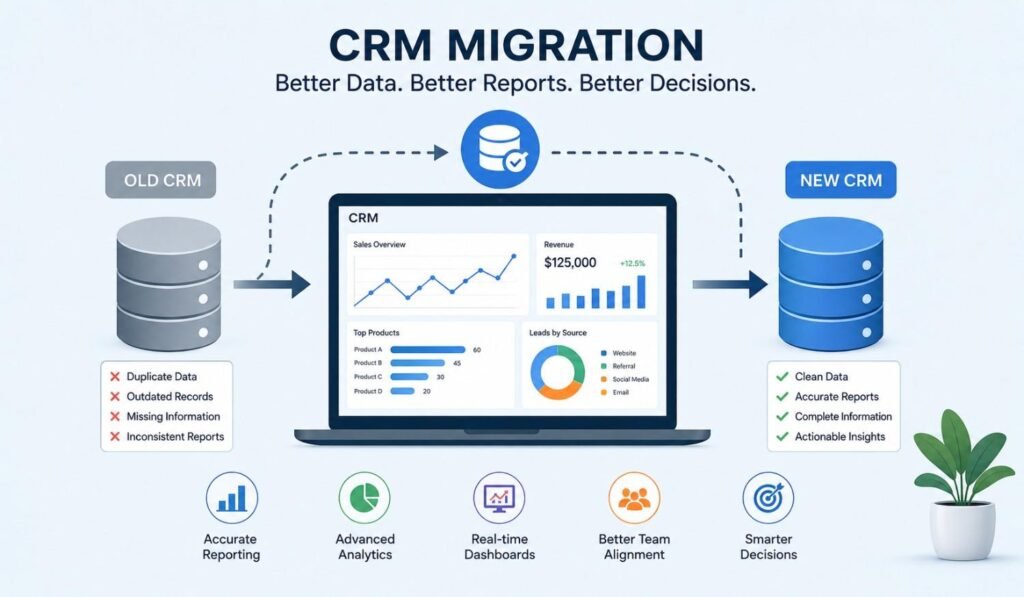
Modern businesses generate customer data every minute, but collecting information is only half the story. The real value appears when that data produces reports that guide confident decisions. Unfortunately, many organizations still rely on outdated CRM platforms that scatter information across multiple systems (which is about as helpful as organizing a filing cabinet with sticky notes. We have seen companies transform their reporting simply by modernizing their customer data foundation. That is exactly where CRM Migration becomes more than an IT project—it becomes a business strategy that supports smarter analytics and sustainable growth.
Why Business Reporting Depends on Clean CRM Data
Reliable reporting begins with reliable data. Even the most advanced dashboards cannot compensate for duplicate contacts, incomplete customer records, or inconsistent formatting. When information enters a CRM from multiple sources without proper governance, reports become difficult to trust and even harder to act upon. We often compare it to assembling a puzzle with pieces from three different boxes—it rarely produces the full picture. By maintaining clean, standardized customer information, businesses gain accurate sales reports, meaningful performance metrics, and analytics that support confident decision-making across every department.
What Happens During a CRM Migration?
A successful migration follows a structured process rather than a simple data transfer. We begin by assessing existing records, identifying outdated or duplicate information, and defining what truly deserves a place in the new system. Next comes data cleansing, mapping, testing, and validation to ensure every field appears exactly where it should. Only then is the final migration completed. It may sound methodical (because it is), but skipping any step usually creates reporting issues later. A carefully planned migration establishes a dependable foundation for accurate analytics and long-term business intelligence.
How CRM Migration Improves Reporting Accuracy
One of the biggest advantages of CRM migration is improved reporting accuracy. As businesses move to a modern CRM platform, duplicate customer profiles disappear, outdated information is removed, and standardized fields create consistency across every report. Sales, marketing, and support teams all work from the same reliable source instead of maintaining separate spreadsheets with conflicting numbers. The result is greater confidence in dashboards and executive reports. Rather than questioning whether the data is correct, decision-makers can focus on identifying trends, measuring performance, and planning future business strategies.
Better Analytics Starts with Better Data
Analytics are only as valuable as the information behind them. When customer records are complete and consistent, businesses can identify buying patterns, forecast revenue more accurately, and segment audiences with greater precision. Marketing campaigns become easier to measure, while sales leaders gain clearer visibility into pipeline performance. Customer service teams can also uncover recurring issues before they affect satisfaction. We have learned that organizations rarely struggle because they lack data—they struggle because their data lacks structure. A successful migration changes that equation by creating dependable analytical insights.
Real-Time Dashboards Become More Reliable
Business leaders increasingly depend on live dashboards to monitor performance throughout the day. Those dashboards, however, are only effective when the underlying CRM data is current and accurate. After migration, information updates consistently across departments, allowing executives to monitor key performance indicators without waiting for manual reports. Sales opportunities, customer interactions, and marketing results appear in one centralized location. Instead of spending valuable time verifying numbers, teams can respond quickly to changing conditions and make faster decisions supported by trustworthy real-time information.
CRM Migration Helps Different Teams Make Better Decisions
Every department benefits when customer information becomes centralized and organized. Sales representatives gain a clearer view of prospects and opportunities, while marketing teams evaluate campaign performance with greater confidence. Customer support agents access complete interaction histories, reducing response times and improving service quality. Leadership receives consistent reports that simplify strategic planning and budgeting. Rather than working with isolated data sources, everyone operates from a shared version of the truth. That alignment encourages collaboration, improves productivity, and helps businesses make informed decisions at every organizational level.
Common Reporting Challenges Businesses Solve Through CRM Migration
Many reporting problems are rooted in outdated systems rather than poor decision-making. Data silos, duplicate customer records, inconsistent field formats, and missing interaction histories all reduce the value of business reports. Manual spreadsheets often become the unofficial “source of truth,” which usually creates even more confusion (and a few unnecessary meetings). By consolidating customer information into a single CRM platform, businesses eliminate conflicting reports and improve data consistency. The outcome is faster reporting, greater transparency, and analytics that stakeholders can trust when making strategic business decisions.
CRM Integration Makes Analytics Even Stronger
A CRM delivers even greater value when it connects seamlessly with other business systems. Integrating ERP software, marketing automation platforms, accounting applications, customer support tools, and business intelligence solutions creates a complete view of operations. Instead of analyzing isolated datasets, organizations gain comprehensive insights across the entire customer journey. Sales performance, financial trends, inventory updates, and campaign results become connected within a unified reporting environment. This broader visibility helps leaders identify opportunities, improve forecasting accuracy, and make data-driven decisions with greater confidence.
Essential Features That Improve Reporting After Migration
Modern CRM platforms offer reporting capabilities that extend far beyond standard charts and spreadsheets. Custom dashboards allow each department to monitor relevant metrics, while automated reports reduce repetitive administrative work. Advanced filters simplify data analysis, role-based access improves security, and AI-powered insights uncover trends that might otherwise remain hidden. Forecasting tools help estimate future revenue, while KPI tracking enables continuous performance monitoring. Together, these features transform reporting into an ongoing business advantage rather than a periodic exercise completed at the end of each month.
Mistakes Businesses Should Avoid During CRM Migration
Even well-planned projects can encounter problems when preparation is overlooked. Migrating outdated or duplicate records simply transfers existing issues into the new platform. Ignoring reporting requirements during planning often leads to missing dashboards after implementation. Skipping validation tests or failing to train employees can also reduce adoption and reporting accuracy. We always recommend treating migration as both a technical and business initiative because successful analytics depend on careful planning. A little preparation upfront usually prevents a great deal of troubleshooting later.
Why Professional Planning Makes CRM Migration Successful
Technology alone does not guarantee better reporting—strategy does. A successful migration begins with clearly defined business objectives, careful data governance, and a roadmap that aligns technical implementation with organizational goals. This approach ensures the new CRM supports both current operations and future growth. Experienced teams offering CRM software development services can also customize dashboards, workflows, and integrations to match specific reporting requirements. When planning, technology, and business priorities work together, organizations achieve stronger adoption, higher data quality, and more meaningful analytical insights.
A Real-World Observation from Our Experience
We once worked with a business that believed its reporting problem required expensive analytics software. After reviewing the data, we discovered the real issue was far less glamorous—duplicate customer records, inconsistent field names, and years of outdated information. Once those issues were resolved during the migration process, the reports practically fixed themselves (well, almost). That experience reinforced something we see repeatedly: better decisions rarely come from more data. They come from cleaner, well-organized data that everyone across the business can trust.
Future Trends in CRM Reporting and Analytics
Business reporting continues to evolve as artificial intelligence and automation become part of everyday operations. Modern CRM platforms are beginning to generate predictive insights, identify unusual trends, and recommend actions before problems grow larger. Natural language reporting allows users to ask questions in plain English and receive meaningful answers instantly. Self-service analytics also empowers non-technical teams to build dashboards without relying on IT. As these technologies mature, businesses will spend less time gathering information and more time acting on insights that drive measurable growth.
Conclusion
Accurate reporting is no longer a competitive advantage—it is a business necessity. A successful CRM Migration creates a single, reliable source of customer information that improves reporting accuracy, strengthens analytics, and supports faster decision-making across every department. We believe technology should simplify business, not complicate it (there are already enough spreadsheets in the world). By investing in clean data, thoughtful planning, and scalable CRM solutions, organizations position themselves for smarter decisions today while building a stronger foundation for future growth and innovation.
Frequently Asked Questions
1. What is CRM migration?
CRM migration is the process of transferring customer data, workflows, reports, and business processes from one CRM platform to another. It typically includes data cleansing, mapping, testing, and validation to ensure information remains accurate and accessible after the transition.
2. How does CRM migration improve business reporting?
Migration removes duplicate records, standardizes customer information, and centralizes data. This results in more accurate reports, reliable dashboards, and analytics that help businesses make informed decisions with greater confidence.
3. Why is data cleansing important before CRM migration?
Data cleansing eliminates outdated, incomplete, and duplicate records before they are transferred. Clean data improves reporting accuracy, enhances customer insights, and prevents old data quality issues from affecting the new CRM system.
4. Can CRM migration improve sales forecasting?
Yes. Accurate customer data provides a clearer view of sales pipelines, historical performance, and buying patterns. This enables businesses to generate more reliable forecasts and make better strategic decisions.
5. How long does a CRM migration project usually take?
The timeline depends on data volume, system complexity, customizations, and integrations. Small projects may take a few weeks, while enterprise migrations can require several months of planning, testing, and deployment.
6. Will CRM migration affect existing customer data?
When properly planned and tested, customer data remains secure and accurate throughout the migration process. Validation and backup procedures help ensure that important information is preserved.
7. What reporting features should a modern CRM include?
A modern CRM should provide customizable dashboards, automated reports, KPI tracking, advanced filtering, AI-powered insights, forecasting tools, and real-time analytics to support business decision-making.
8. How does CRM migration improve executive dashboards?
By centralizing and standardizing data, migration enables dashboards to display consistent, real-time metrics. Executives gain better visibility into sales performance, customer trends, and operational efficiency.
9. What are the biggest risks during CRM migration?
Common risks include migrating poor-quality data, inadequate planning, skipped testing, missing integrations, insufficient employee training, and failing to align the new CRM with business reporting requirements.
10. How can businesses prepare for a successful CRM migration?
Businesses should define clear objectives, audit existing data, remove unnecessary records, identify reporting needs, test thoroughly before launch, train users, and work with experienced CRM professionals to ensure a smooth transition.
My economics reading was too long to reread the night before the quiz. I used Economics notes to study guide, and it kept the source page on every point so I could check anything that looked off.