
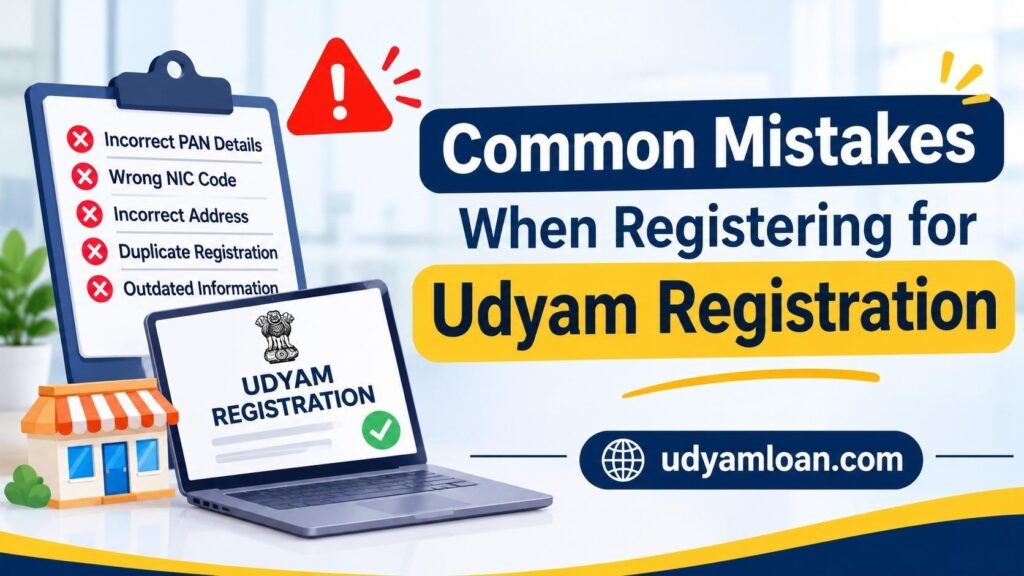
Udyam Registration will provide you with an official identification for your Micro, Small, and Medium Enterprise (MSME) in India. Once you have completed your registration, you will receive your permanent Udyam Registration Number (URN) and electronic certificate. However, mistakes can be made when registering, such as incorrect PAN details, incorrect business activity, incorrect organization type, and incorrect registration details. It is advisable to ensure your details are correct when registering for your Udyam Registration.
Quick Summary: Common mistakes made when registering include incorrect PAN/Aadhaar details, incorrect organization type, incorrect NIC code, incorrect Address, Duplicate Registration, and not updating enterprise details. This can cause issues when verifying your details. Always double-check your details before submitting your application, and ensure your Udyam Registration Certificate is up to date.
What are the Most Common Udyam Registration Mistakes?
Many entrepreneurs do not check that their details are correct when registering for their MSME. Whilst some mistakes may not be an issue, they can cause issues when verifying.
Common mistakes to avoid include
1. Incorrect PAN / Aadhaar Details
PAN and Aadhaar details are an important part of your registration. If you enter the wrong number or have any discrepancies, this can cause issues.
For example, if you run a proprietorship business and enter the PAN details of another family member.
Ensure that you always enter the correct Aadhaar and PAN details.
2. Incorrect Organization Type
When registering, you will be asked what type of organization you run. This can include proprietorship, partnership, private limited company, and LLP.
If you enter the wrong organization type, this can cause issues with your Udyam certificate.
For example, if you run a proprietorship business but have entered a private limited company.
3. Incorrect NIC Code
The NIC code is used to identify the activity of your business.
Sometimes people enter the wrong NIC code, as they are unsure what activity falls under manufacturing, trading, or service.
For example, if you offer website development services but accidentally enter a NIC code for computer hardware manufacturing.
It is advised to enter the most accurate NIC code, and there is an option to include multiple activities within your Udyam Registration.
4. Incorrect Address
Your business address is an important detail to ensure it is correct.
For example, if you run a small manufacturing unit in Ranchi but have entered your old address.
This can cause issues when verifying your documents with a bank or organization.
Ensure your address details are correct and up to date.
5. Duplicate Udyam Registration
Some entrepreneurs will register for another Udyam Registration if they start a new business activity or have issues with their current certificate.
However, this is not necessary in many cases.
As per the guidelines from the official Udyam Registration website, you should only register for one Udyam Registration. However, you can enter multiple manufacturing/service activities.
For example, if you run a manufacturing unit and have started an eligible service activity, ensure you select the option to add this to your existing registration.
6. Missing MSME Classification Criteria
The Government of India will classify your enterprise as micro, small, or medium based on your investment and turnover.
New limits from April 1st, 2025, are:
- Micro enterprise: investment up to ₹2.5 crore and turnover up to ₹10 crore (earlier ₹1 crore and ₹5 crore).
- Small enterprise: investment up to ₹25 crore and turnover up to ₹100 crore (earlier ₹10 crore and ₹50 crore).
- Medium enterprise: investment up to ₹125 crore and turnover up to ₹500 crore (earlier ₹50 crore and ₹250 crore).
Both criteria must be met.
For example, if your business goes over the investment/turnover limits for your current category, it may change depending on the government rules.
Do not select a category as you want to gain the benefits of a certain MSME. The portal will use the correct government data to determine what category you fall into.
7. Incomplete Business Activity
Some entrepreneurs will only enter one business activity when they have multiple eligible activities.
For example, if you manufacture packaging materials but also offer packaging services to other companies.
If you only enter manufacturing, this may not be an accurate representation of your business.
The Udyam portal allows you to enter multiple eligible activities. Ensure you have included all relevant activities.
8. Ignoring PAN/GST Updates
Over time, your business details may change. You may have updated your legal name, address, or GST details but not updated your Udyam certificate.
For example, if you have updated your address and GST details, but your Udyam certificate still shows your old address.
This can cause additional questions.
Ensure your Udyam details are up to date if you have made any major changes.
9. Incorrect Mobile Number / Email
Your mobile number and email are important to ensure you can receive your OTP and view your details.
If you enter an inactive mobile number or email address, you may experience issues accessing your Udyam account.
For example, if you registered your business using an employee’s mobile number and they left the organization, you may have issues with authentication.
Ensure you are using contact details that you can access.
10. Not Updating Udyam Details
Many business owners will assume that once they have received their Udyam Registration Certificate, they do not need to check their details.
Although you do not need to renew your Udyam Registration, you must ensure you enter relevant up-to-date details on the portal.
You can update your details. This includes your relevant income tax and GST return details. If you do not enter the required information within the given time frame, this can affect your registration.
Ensure you check your certificate and business details if you have made any changes to your financial/business details.
Also Read: How to Update Udyam Certificate Online | MSME Edit Details
How Can You Avoid These Mistakes?
Most mistakes can be avoided by simply double-checking your details.
Ensure:
- Aadhaar and PAN are correct—ensure you are using the correct details for the proprietor/legal entity.
- The organization type is correct—select the correct constitution (proprietorship, partnership, LLP, or company).
- The NIC code is correct—select the correct codes to accurately represent your manufacturing, service, or other eligible activities.
- Business address is correct—ensure you have entered the correct address. Check against your relevant business details.
- GST details are correct—enter your GSTIN details where applicable. Ensure they are correct.
- Avoid duplicate registration—When updating your business details or adding eligible activities, ensure you are using your existing Udyam Registration Number.
- Check Udyam certificate – Once registered, download your Udyam Registration Certificate and check all details.
What if You Already Have Errors on Udyam Registration?
If you have already received your Udyam Registration Certificate but realize there are errors, you do not necessarily need to reapply.
Identify what the incorrect details are and whether they are incorrect on your PAN, GST, Aadhaar, or Udyam.
Complete the following:
- Go to the official Udyam Registration site.
- Click on Update Udyam Registration.
- Enter your existing Udyam Registration Number and complete the required OTP.
- Check the information available and follow the prompts to update your eligible details.
- Submit and download your updated certificate.
- If your original PAN/GST details are incorrect, ensure you update these first via the relevant government portal.
- If you have a complex issue and want to change your legal entity, PAN, or organization, ensure you check the relevant registration requirements.
Conclusion
Udyam registration is not just a certificate to prove your business is an MSME. It is an important reference for verifying your business, applying for loans, government tenders, and other enterprise requirements.
Incorrect details such as incorrect PAN details, incorrect NIC code, duplicate registration, and outdated business details can cause unnecessary issues.
Ensure you double-check your business details before applying for your MSME registration online. If you have made a mistake, identify where the mistake has been made and ensure you update the correct details.
Keeping your Udyam Registration Certificate accurate and up to date can help ensure your business details are consistent and avoid any unnecessary issues.
Suggested Read: What to Do When Your Udyam Registration Details Do Not Match Your PAN or GST Records?
Hello.
This post was created with XRumer 23 StrongAI.
Good luck 🙂